Compare everyday essentials
Filter by the features you need, then compare the models. These are manufacturer specifications for reference, not a catalog of phones currently available at no cost. The model, storage, condition and price in an actual provider offer may differ.
Compare the features you will use
Model references, with no stock or price assumption.



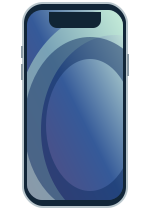

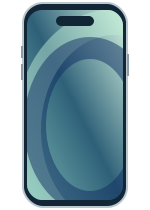
Showing all six models.
| iPhone | Display | Chip | Cellular | Unlock method |
|---|---|---|---|---|
| iPhone 13 | 6.1-inch OLED | A15 Bionic | 5G | Face ID |
| iPhone 12 | 6.1-inch OLED | A14 Bionic | 5G | Face ID |
| iPhone 11 | 6.1-inch LCD | A13 Bionic | LTE | Face ID |
| iPhone SE (3rd gen) | 4.7-inch LCD | A15 Bionic | 5G | Touch ID |
| iPhone 14 | 6.1-inch OLED | A15 Bionic | 5G | Face ID |
| iPhone 15 | 6.1-inch OLED | A16 Bionic | 5G | Face ID |
Device drawings are illustrative. Specifications come from Apple; U.S. carrier compatibility and the condition of an individual device still need checking.
Regional hardware and carrier support can affect SIM and network features. Ask the provider to check the exact device, especially when bringing a phone you already own.
Start with what you use most
A larger screen
The iPhone 11, 12, 13, 14 and 15 have 6.1-inch displays. That can give you more room for forms, maps and reading. Screen technology differs: iPhone 11 uses LCD, while iPhone 12 through 15 use OLED.
A compact familiar design
The iPhone SE (3rd generation) has a 4.7-inch LCD and a Home button with Touch ID. Its smaller display and physical button may suit a different preference than the larger Face ID models.
5G capability
iPhone 12, 13, 14, 15 and SE (3rd generation) support 5G. iPhone 11 uses LTE. Actual 5G service also requires a compatible provider, plan and local coverage.
There is no single best option for every household. Consider how comfortably you can read the screen, whether the size fits your hands and pockets, and whether the apps you depend on support the device’s available software.
Compare the exact unit, not just the model name
Two phones with the same model name can differ in storage, battery condition, cosmetic condition and warranty. A low advertised price is less useful if the phone needs an immediate battery replacement or cannot store the apps and photos you need.
| Check | What you need to know |
|---|---|
| Storage | Confirm the exact capacity and compare it with your current use. |
| Battery | Ask how battery condition is assessed and what the warranty covers. |
| Condition | Find out whether the phone is new, refurbished or otherwise previously used. |
| Screen and cameras | Check the seller’s functional testing and any disclosed defects. |
| Accessories | Confirm the cable, power adapter and other items included. |
| Returns | Read the return window, return shipping terms and any fees. |
| Network lock | Check whether the phone is locked and the provider’s unlocking conditions. |
Request these details in writing and keep them with the order confirmation. Avoid assuming that “refurbished” describes a single universal grade or battery standard.
Understand SIM, eSIM and compatibility
A physical SIM is a removable card used to connect a compatible phone to a provider. An eSIM is activated digitally. U.S. iPhone 11, 12, 13 and SE (3rd generation) models support nano-SIM and eSIM; iPhone 13 and SE (3rd generation) also support dual eSIM. U.S. iPhone 14 and 15 models use eSIM only and do not accept a physical SIM. Regional versions and carrier support can differ, so check the exact unit before ordering.
Capability does not mean every provider supports every activation method. Ask the chosen company whether it can activate your exact model and whether you need a physical SIM or eSIM. Enter device identifiers only into that provider’s verified compatibility process; this comparison tool does not perform an IMEI check.
If you are transferring your number, confirm the process before canceling your existing service. Keep access to any account details the receiving provider needs, and understand whether a device balance remains with the previous company.
Match the device to the plan
A phone and a plan solve different parts of the same need. A 5G phone will not remove a high-speed data limit, and a generous data plan will not improve poor local coverage. Compare the plan’s talk, text, data and hotspot conditions alongside the device.
If you qualify for Lifeline, ask available providers which devices are included and what upgrades cost. Approval for the service benefit does not guarantee one of the models in this guide. If none of the offered phones suits you, compare another company or a bring-your-own-phone option.
Start with our free iPhone offer guide for the different purchase routes. Then check service availability and the provider’s written terms before committing.
Frequently asked questions
Which of these iPhones has a Home button?
iPhone SE (3rd generation) has a Home button with Touch ID. iPhone 11 through 15 use a different front design and Face ID.
Is a newer model always the better choice?
Not necessarily. The unit’s condition, storage, battery, price, warranty and compatibility can matter as much as its model year. Choose based on the tasks you need the phone to handle.
Does every model support eSIM?
The U.S. versions of all six models support eSIM. U.S. iPhone 14 and 15 models require eSIM because they have no physical SIM slot; U.S. iPhone 11, 12, 13 and SE (3rd generation) can also use a nano-SIM. Regional hardware and provider activation support vary, so confirm the exact handset and plan.
Are these phones currently available free?
The comparison shows technical specifications only. Availability, device condition and any price depend on the provider’s current offer and your location.
Can I compare a phone I already own?
Yes. Use the listed features to assess whether your current model meets your needs. The receiving provider must separately verify its network compatibility and unlock status.
Sources & further reading
- Apple: iPhone 11 technical specifications
- Apple: iPhone 12 technical specifications
- Apple: iPhone 13 technical specifications
- Apple: iPhone SE, 3rd generation technical specifications
- Apple: iPhone 14 technical specifications
- Apple: iPhone 15 technical specifications
- Apple: SIM support by model
- USAC: About Lifeline
Source review: November 28, 2026. Programs, provider offers and device availability can change. How we prepare our guides.